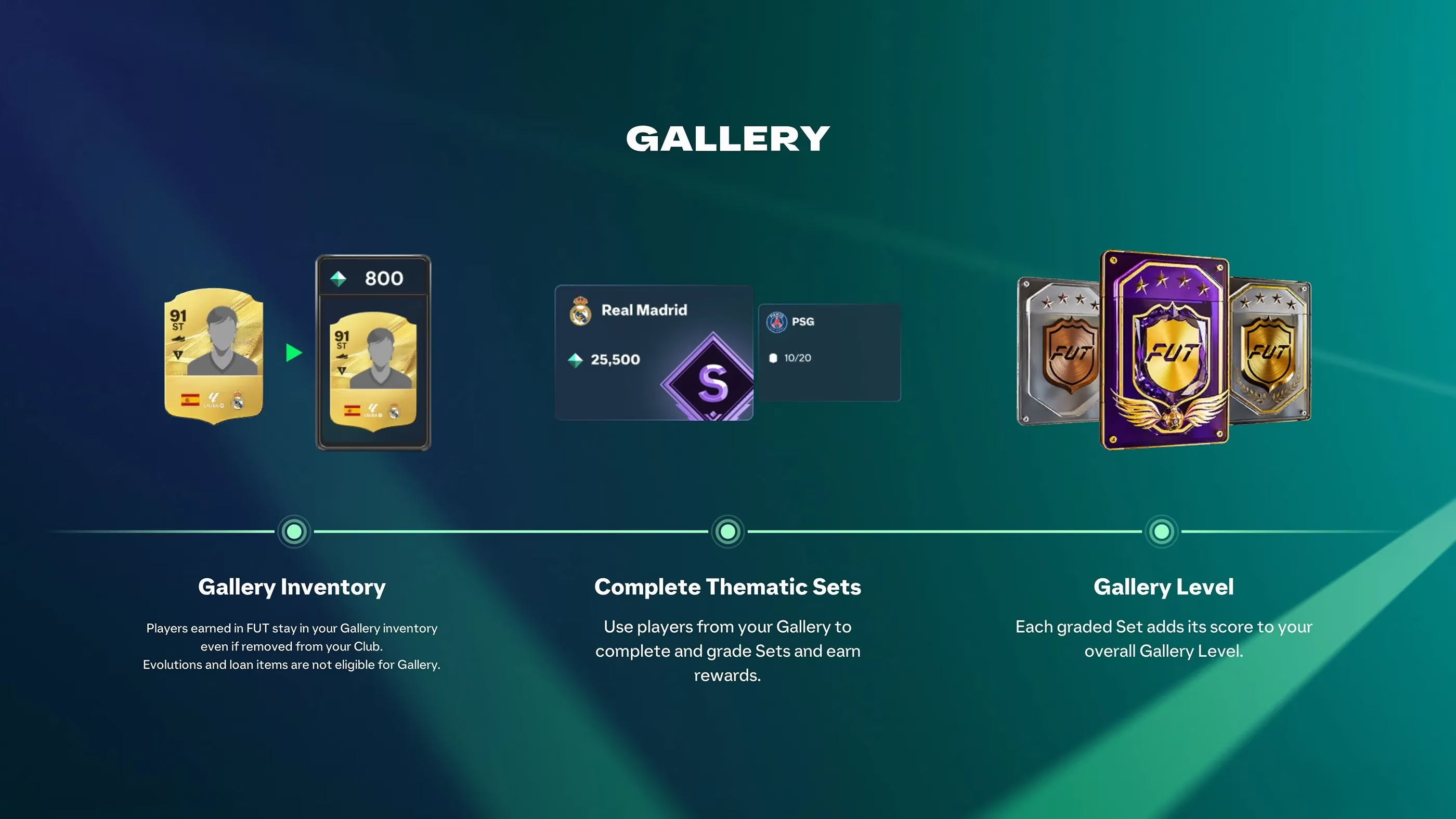
In the current 2026 FC 27 cycle, I treat the Ultimate Team Gallery as a scoring puzzle rather than a simple checklist. Getting an S Grade is not about filling every slot with the most expensive eligible players. Each Gallery Set has its own score target, and my final grade depends on the Item Scores of the cards I register plus the bonuses I activate through Gallery Tags. A completed set can receive a D, C, B, A or S Grade, and the good news is that I can improve the collection and regrade it later. That means I do not need to force S Grade on my first attempt.
How I Understand Gallery Grading
Every eligible Player Item has an Item Score. When I add players to a Gallery Set, those scores build the collection's Base Item Score. Matching Gallery Tags then add bonus points, creating the final score used for grading. The basic formula I keep in mind is simple:
Total Score = Base Item Score + Bonus Tag Score
Each Gallery Set has its own thresholds. A score that earns S Grade in one collection may only reach A Grade in another, so I always check the specific set requirements before making changes. Higher grades unlock more rewards, including Gallery Tokens in eligible sets. Rewards are cumulative, so reaching S Grade directly also gives me the lower-grade rewards.
| Grade | What It Means For My Gallery |
|---|---|
| D | A basic completed collection with limited bonuses |
| C | Some useful Item Scores or early tag bonuses |
| B | A solid base with room to improve tags |
| A | Close to the top and worth reviewing carefully |
| S | The highest grade and the full reward path |
My Step-by-Step S Grade Routine
-
🎯 Open Ultimate Team, go to Club > Gallery and choose a set.
-
🔍 Check available slots, eligible players, grade thresholds and bonus tags before adding cards.
-
🧩 Fill the collection with my best eligible items or use Auto-Complete for a starting lineup.
-
🛠️ Review the automatic selection manually because a different combination may activate more valuable Gallery Tags.
-
📊 Compare my current total with the S Grade threshold.
-
🔁 Replace items one at a time, confirm changes and use Regrade to calculate a new result.
I never assume that the highest-rated players automatically give the best grade. Replacing a regular Gold card with a higher-scoring special item may raise my Base Item Score, but it can also break an active Gold Item tag. If that happens, I could lose bonus points and end up with a lower total. I always compare the final score, not just the overall ratings or card designs.
Why Gallery Tags Matter So Much
Gallery Tags are one of the most important parts of S Grade grading. They reward specific combinations such as First Owner players, Gold cards, Team of the Week items or players sharing certain characteristics. Tags have their own conditions and bonus tiers. Meeting more demanding requirements can unlock a larger bonus, but the exact benefit depends on the tag.
First Owner is especially useful when I try to improve a Gallery Set. Cards obtained directly through packs, Objectives, SBC rewards and other first-hand rewards can contribute towards First Owner tag requirements. The tag offers substantial bonuses when I reach its item-count thresholds. A slightly lower-rated First Owner card can sometimes help my total score more than a higher-rated card bought from the Transfer Market. Before replacing players, I check the First Owner count. If I am close to activating the next bonus tier, keeping the required number of First Owner items may be more valuable than increasing the Base Item Score.
Special Cards and Collection Value
Special Player Items are useful when their Item Scores are higher than the regular versions available to me. Campaign items, Heroes, ICONs and Holographic cards may offer opportunities to improve completed collections as my club grows. Holographic items are particularly interesting for Gallery collectors because their rarity can increase their collection value without changing their in-match attributes. Still, I do not assume every special card is automatically better for grading. I compare its displayed Item Score and its effect on my active tags before making a change.
Auto-Complete Is a Starting Point, Not the Final Answer
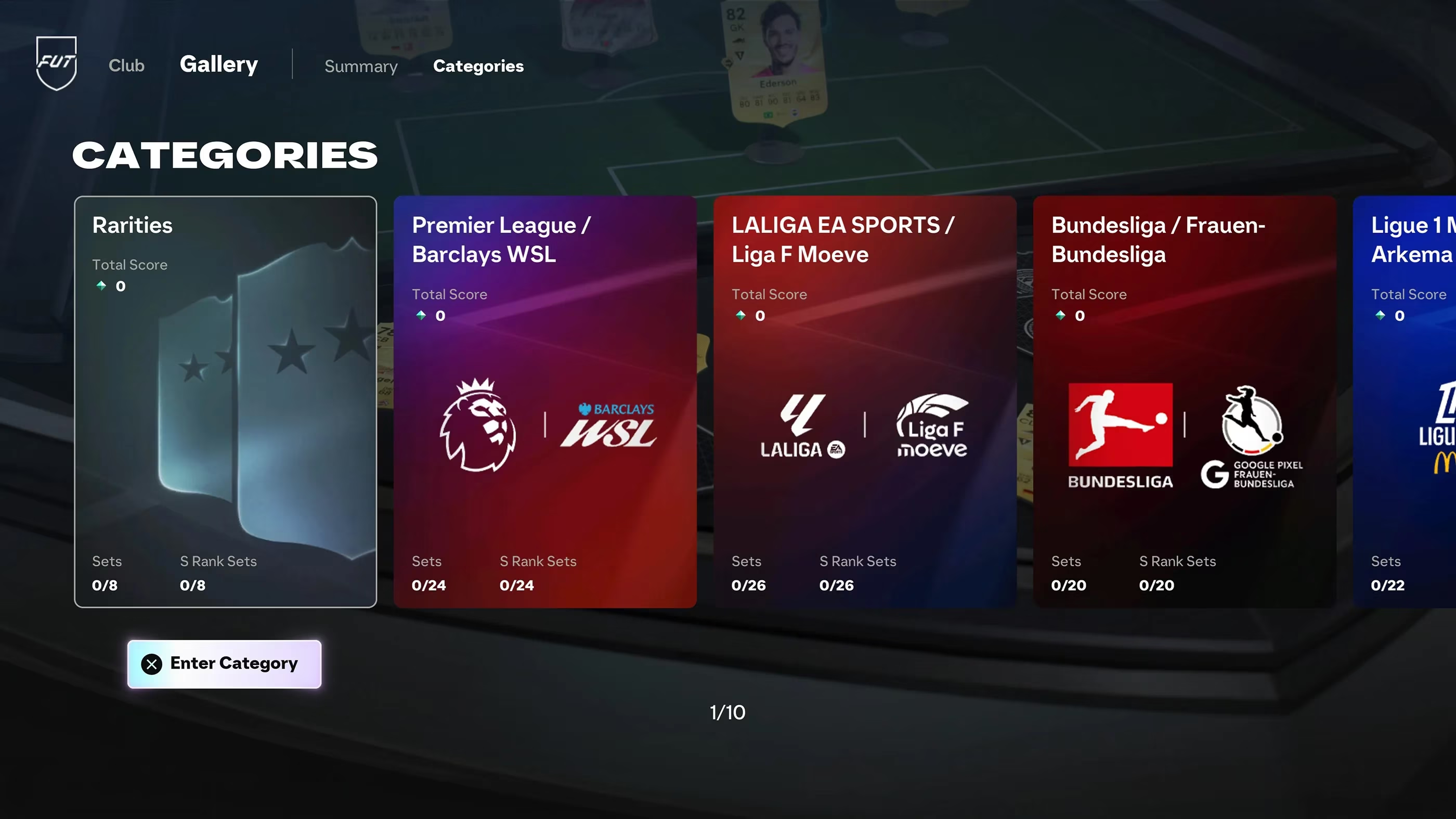
Auto-Complete is a useful starting point because it quickly fills a Gallery Set with eligible items I have collected. It is especially helpful for large club, league or nation collections. Before grading, I check the selected cards and active tags. I try replacing individual players to see whether a different combination produces a better total score. I pay particular attention to First Owner requirements and tags that depend on having a certain number of matching items. Improving a tag tier can sometimes be more effective than replacing several players with higher-rated alternatives.
Regrading Older Sets and Reusing Registered Items
I do not need to reach S Grade immediately. Once I complete a set, I can return later with additional eligible players and improve the score. I open the completed collection, make my changes and select Regrade. The Gallery recalculates Item Scores, active bonuses and the total score to determine whether I have reached a higher grade. If I improve from B to A, I unlock the additional rewards for A Grade. If I later reach S, I receive the S Grade rewards as well. Rewards already claimed from lower grades are not awarded a second time.
The FC 27 Ultimate Team Gallery records eligible Player Items that have passed through my club. Once an item is registered, it can still count towards Gallery Sets even after I sell it or submit it in an SBC. The same eligible item can also count towards multiple Gallery Sets. For example, a player may contribute to both a club collection and a league collection without being consumed. Loan items are not eligible. Evolution upgrades also do not carry over to Gallery scoring, so an evolved player is represented by the original version of the item.
Eligible players bought from the Transfer Market can be registered in my Gallery, and they can remain available for collections after I sell them. This helps when I am missing a particular player or need a higher-scoring item. However, Transfer Market purchases do not count as First Owner cards, so they will not help activate First Owner bonuses. If I plan to buy and resell cards for Gallery progress, I remember the Transfer Market selling tax and the possibility of price changes. Buying expensive players just to improve one collection is not always worth the cost.
Closing the Gap From A to S
If my collection is already at A Grade, I check the exact score gap to S before making changes. A small gap may be solved by improving a few individual items, while a much larger gap could require a stronger tag bonus or several better cards. I look at active Gallery Tags first. I check whether I am close to another First Owner threshold or whether a different combination of Gold, special or matching items could activate an additional bonus. Then I compare the Item Scores of my weakest cards with other eligible items I have collected. I replace them one at a time and watch how the total changes.
If reaching S requires expensive cards I do not own, I leave the set at A for now. I can return when new rewards, packs and promotions expand my collection. S Grade is the highest result, but some collections require significantly more points than others. The additional rewards may not justify spending large amounts of coins. I check the Gallery Tokens and other rewards available at each grade. If I am already at A and the next reward is relatively small, completing another affordable set may provide better overall progress. My Gallery Level also improves as I complete and upgrade sets, so progressing through several collections can be useful even if I have not reached S Grade in every one.
My S Grade Checklist
| Check | Why I Do It |
|---|---|
| ✅ Check the S Grade threshold | I need to know exactly how many points I am short |
| ✅ Prioritise active tags | A stronger bonus can be worth more than one higher-rated player |
| ✅ Use First Owner items | I may be close to the next First Owner bonus tier |
| ✅ Compare Item Scores | Overall ratings and card designs are not enough |
| ✅ Review Auto-Complete | Manual changes can activate useful bonuses |
| ✅ Regrade older sets | New players can improve completed collections |
| ✅ Reuse registered items | Eligible cards can count towards multiple collections |
| ✅ Avoid expensive upgrades | I compare the cost of reaching S with the extra rewards |
Reaching S Grade in the FC 27 Gallery comes down to improving Item Scores, activating valuable Gallery Tags and regrading collections as I acquire better players. I check the score gap, experiment with eligible card combinations and avoid spending more FC 27 coins than the additional rewards are worth. That is how I turn the Gallery from a simple collection screen into a smart, flexible route to better rewards.
Loading comments...